
Inspiron 24 5000 Series Quick Start Guide.
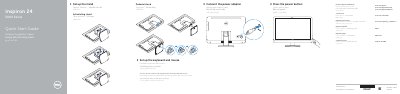
This is the Dell Inspiron 24 5000 Series Quick Start Guide for the Inspiron 24-5459 computer (regulatory model W12C, regulatory type W12C004). It shows connecting the power adapter, pressing the power button, setting up the stand, setting up the keyboard and mouse, finishing Windows setup, setting a Windows password, connecting to a network, and protecting the computer.
The guide also lists computer features including right and left microphones, camera-status light, camera, media-card reader, two USB 3.0 ports, headset port, Service Tag label, power-adapter port, network port, four USB 2.0 ports, HDMI-in port, HDMI-out port, audio-out port, power button, screen-off button, brightness-control buttons, and an optional optical drive.
| Product series | Inspiron 24 5000 Series |
|---|---|
| USB 3.0 ports | 2 |
| USB 2.0 ports | 4 |
| Brightness-control buttons | 2 |
| Optical drive | Optional |
It is for the Inspiron 24 5000 Series.
The guide lists two USB 3.0 ports.
Dell lists Dell.com/support and Dell.com/support/manuals for product support and manuals.
Enter the password for the wireless network access when prompted.