
Dell Inspiron 20-3059 All-in-One Computer Quick Start Guide

This guide describes how to set up a password, connect to a network, and access help documentation on Windows.
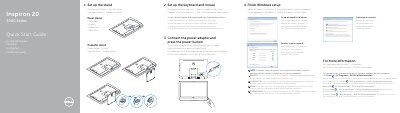

Dell Inspiron 20-3059 All-in-One Computer Quick Start Guide - cover page
Brand
DELL
Category
All-in-One Desktops
Document type
Quick Start Guide
Language
English
Pages
2
File format
PDF
File size
248 KB
Published
25 November, 2023
Updated
25 November, 2023
MD5 checksum
A951C8FF80A21AB22BDB85A5D03B08F9

About this manual

This Quick Start Guide covers the Dell Inspiron 20-3059 all-in-one computer. It explains how to set up the stand, connect the keyboard and mouse, connect the power adapter, finish Windows setup, set a password, and connect to a network.

The document lists computer features including the camera, media-card reader, USB ports, headset port, HDMI-in port, and optional optical drive. It also provides Dell support contacts, regulatory information, and the regulatory model W15B.

What's inside

  • Set up the stand
  • Protect your computer
  • Set up the keyboard and mouse
  • Connect the power adapter and press the power button
  • Finish Windows setup
  • Set up password for Windows
  • Connect to your network
  • Features
  • Product support and manuals
  • Regulatory and safety

Specifications

Computer modelInspiron 20-3059
USB 3.0 ports2
USB 2.0 ports2

Frequently asked questions

How do I finish Windows setup?

Complete the Windows installation using the setup steps in this guide.

Where can I find Dell Help Documentation?

Click Start → All Programs → Dell Help Documentation.

What is the computer model?

The computer model is Inspiron 20-3059.

Download PDF (248 KB)

More DELL Manuals


View all DELL manuals →