
Dell computer quick start guide, introduces the keyboard, mouse, stand, power adapter, product support and manuals, regulations and safety of Dell computer.
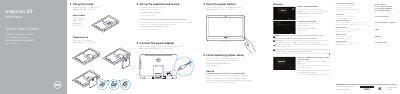
This guide helps you set up your Dell Inspiron 20-3059 computer by connecting peripherals, powering on, and configuring the operating system. It includes steps for connecting the keyboard and mouse, setting up the stand, and connecting to a network. The guide also covers enabling security and updates, signing in to a Microsoft account, and accessing Dell support resources.
The device features a tilt-adjustable stand, microphone, camera, USB ports, HDMI-in, audio-out, and optional optical drive. Regulatory and safety labels are included, and the guide provides instructions for Windows and Ubuntu setup, including network configuration and account creation.
2
2
Optional.
Check and update your computer.