
Dell Vostro 15 3000 Series Laptop Quick Start Guide.
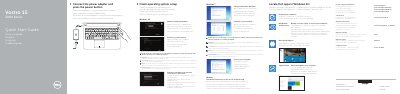
This Quick Start Guide is for the Dell Vostro 15 3000 Series laptop, computer model Vostro 15-3559, and includes setup instructions in English, Danish, Finnish, Norwegian, and Swedish. Printed in China in June 2015, it covers first-time startup, Dell applications, support resources, and regulatory information.
The guide explains how to connect the power adapter, turn on the computer, finish operating system setup, enable security and updates, connect to a network, and sign in to a Microsoft account or create a local account. Page 2 identifies external features such as the camera, USB ports, VGA and network connectors, and lists shortcut keys for audio, display, wireless, and power functions.
| Operating system | Windows 8.1 |
|---|---|
| Computer model | Vostro 15-3559 |
| USB port | USB 3.0 connector |
| Video port | VGA connector |
| Network port | Network connector |
Connect the power adapter and press the power button.
Enter the password for the wireless network access when prompted.
See the Owner’s Manual at dell.com/support for more information.
Windows 8.1, Windows 7, and Ubuntu.