
The Dell Edge Gateway Quick Start Guide describes how to set up and use the Dell Edge Gateway.
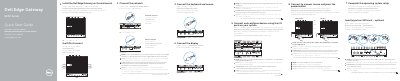
The Dell Edge Gateway 5000 Series quick start guide shows how to set up the gateway: inserting an optional micro-SIM card, installing the unit on a wall mount or DIN rail mount, connecting the wireless antenna, the network cable, the display, the keyboard and mouse, and connecting to a power source and pressing the power button.
It also lists the connector and port layout (USB 2.0 and USB 3.0, HDMI, network, RS232, CANbus, RS422/485 and RS485 ports, antenna ports, micro-SIM slot, power and I/O module expansion ports, earth ground and power adapter ports) together with the LED status indicators, and points to Dell support pages for manuals, Windows and Linux support, contact information and regulatory compliance.
| Power adapter ports | +24V AC/DC and +19 VDC |
|---|---|
| USB ports | Two USB 2.0 ports and one USB 3.0 port |
| Network ports | Two network ports |
| Serial and fieldbus ports | RS232, CANbus (optional), RS422/485 and RS485 ports |
| Micro-SIM card slot | Optional |
| Computer model | Dell Edge Gateway 5000 |
Dell recommends inserting the micro-SIM card before powering on the Dell Edge Gateway; the micro-SIM card slot is optional.
Turn on the corresponding dip switches to enable the corresponding RS232/RS422/RS485 ports.
The power cable can be connected to the +24V AC/DC or +19 VDC power adapter port.
No. Peripherals such as the wireless antenna, keyboard and mouse are sold separately, and the power adapter is also sold separately.