
The Dell XPS 13 laptop quick start guide.
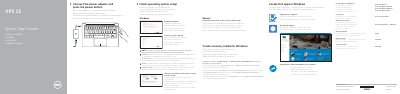
This Dell Quick Start Guide helps you set up the XPS 13 laptop. Connect the power adapter and press the power button, then finish the operating system setup, enable Dell updates, connect to your network, and sign in to a Microsoft account or create a local account. On Ubuntu, follow the instructions on the screen to finish setup.
The guide also covers locating Dell apps, creating Windows recovery media, and contacting Dell support at Dell.com/support. The computer model is XPS 9350, with regulatory model P54G and regulatory type P54G002. Features and shortcut keys for the camera, Thunderbolt 3 and USB 3.0 ports, headset port, media-card reader, and security-cable slot are listed on the last page.
| Computer model | XPS 9350 |
|---|---|
| Regulatory model | P54G |
| Regulatory type | P54G002 |
Connect the power adapter and press the power button.
Go to Dell.com/support and Dell.com/support/manuals for product support and manuals.
In Windows search, type Recovery, click Create a recovery media, and follow the instructions on the screen.