
This document is a quick start guide for Dell laptop, which introduces how to finish Windows setup, connect the power adapter and press the power button, connect to the network and activate security and updates.
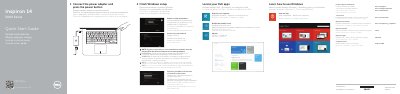
This Quick Start Guide for the Dell Inspiron 5448 laptop helps users complete initial setup. It is a multilingual document published in 2014 by Dell Inc. and Microsoft Corporation, printed in China.
The guide explains how to finish Windows setup, locate Dell apps, connect the power adapter, enable security and updates, connect to a network, and sign in to a Microsoft account. It also lists product features, shortcut keys, and support resources including dell.com/support.
| Product series | Inspiron 14 5000 Series |
|---|---|
| USB 2.0 port | 1 |
| Power and battery-status light | 1 |
| Hard-drive activity light | 1 |
| Service Tag label | 1 |
Connect the power adapter and press the power button.
Go to dell.com/support and dell.com/support/manuals.
Enter the password for the wireless network access when prompted.