
Inspiron 17-5759 Quick Start Guide
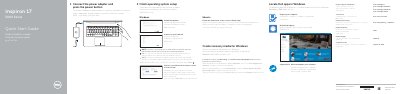
This is the Dell quick start guide for the Inspiron 17-5759 computer (Inspiron 17 5000 Series, regulatory model P28E). The two-page guide walks through the first steps: connecting the power adapter and pressing the power button, finishing the operating system setup, enabling Dell updates, connecting to a network, signing in to a Microsoft account or creating a local account, creating recovery media for Windows, and registering the computer. It also points to Dell Help & Support and the Dell support, manual and regulatory compliance websites.
The second page shows the computer's features with numbered callouts, listing items such as the camera and camera-status light, microphones, power-adapter port, network port, HDMI port, USB 3.0 port, USB 2.0 ports, media-card reader, power and battery-status light/hard-drive activity light, touchpad click areas, headset port, optical drive, security-cable slot, power button, battery and battery-release latch, and the regulatory and Service Tag labels. A shortcut-key table lists functions such as muting audio, volume and brightness adjustment, media playback, switching to an external display, search, keyboard backlight, Fn-key lock, wireless on/off and sleep. The text is printed in English, Italian, Portuguese and Arabic.
| USB 3.0 port | Yes |
|---|---|
| USB 2.0 ports | 2 |
| HDMI port | Yes |
| Media-card reader | Yes |
| Optical drive | Yes |
| Security-cable slot | Yes |
| Battery-release latch | Yes |
| Regulatory model | P28E |
Connect the power adapter and press the power button.
In Windows search, type Recovery, click Create a recovery media, and follow the instructions on the screen.
Enter the password for the wireless network access when prompted.
Dell refers you to the Specifications page at Dell.com/support.