
The Dell™ 2400MP projector is a high-brightness, high-contrast projector that is ideal for business presentations and home theater use. It features:
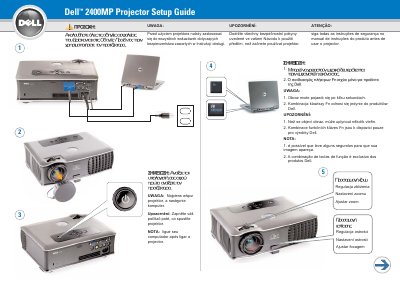
This two-page setup guide for the Dell 2400MP projector provides multilingual instructions, including Polish, Czech, and Portuguese. It shows zoom and focus adjustment, turning on the projector before the computer, the remote control buttons, and the USB cable needed for page up/down functions.
The guide also includes safety reminders and refers readers to the user manual for more information. The copyright notice is dated 2006 and names Dell Inc. This manual is written in Polish.
| Model | 2400MP |
|---|---|
| Remote control page function | Requires USB cable connection |
Turn on the projector first, then turn on the computer.
The USB cable must be connected.
More information is available in the user manual.
Follow all safety instructions in the user manual.