
Dell Vostro 3250 Quick Start Guide
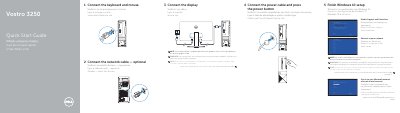
This Quick Start Guide covers initial setup for the Dell Vostro 3250 computer, including connecting the keyboard, mouse, network cable, display, and power cable.
It also explains finishing Windows 10 setup, enabling support and protection, connecting to a network, signing in to a Microsoft account, and identifies the computer's connectors, buttons, lights, and slots.
| VGA connector | VGA connector |
|---|---|
| HDMI connector | HDMI connector |
| USB 2.0 connectors | USB 2.0 connectors |
| USB 3.0 connectors | USB 3.0 connectors |
| Network connector | Network connector |
| Memory-card reader | Memory-card reader |
Connect the power cable and press the power button.
Enter the password for the wireless network access when prompted.
It checks and updates your computer.