
Dell Vostro 3667/3668 Desktop Computer Quick Start Guide

The Dell Vostro 3667/3668 Quick Start Guide provides instructions on how to connect the keyboard and mouse, connect the network cable (optional), connect the display, and connect the power cable and press the power button.
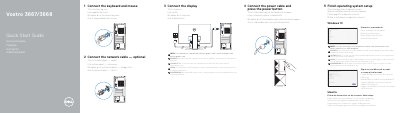

Dell Vostro 3667/3668 Desktop Computer Quick Start Guide - cover page
Brand
DELL
Category
Desktops
Document type
Quick Start Guide
Language
English
Pages
2
File format
PDF
File size
500 KB
Published
25 November, 2023
Updated
25 November, 2023
MD5 checksum
E69A8E05065FBD5655BF7508BC25EB51

About this manual

This quick start guide helps set up the Dell Vostro 3667/3668 desktop computer. It explains how to connect the keyboard, mouse, display, network cable, and power cable, then finish operating system setup for Windows 10 or Ubuntu.

The document also lists the computer's features and ports, including USB ports, audio and video connectors, and the network port. It provides Dell support website links and regulatory model information.

What's inside

  • Connect the keyboard and mouse
  • Connect the display
  • Connect the power cable and press the power button
  • Finish operating system setup
  • Connect to your network
  • Features
  • Product support and manuals
  • Regulatory and safety

Specifications

Computer modelVostro 3667/3668

Frequently asked questions

What peripherals should be connected first?

Connect the keyboard and mouse.

How should the display be connected with a discrete graphics card?

Connect the display to the discrete graphics card.

Where can product support and manuals be found?

Visit Dell.com/support and Dell.com/support/manuals.

What should be finished after connecting the cables?

Finish operating system setup.

Download PDF (500 KB)

More DELL Manuals


View all DELL manuals →