
Dell Latitude 15 3000 Series Notebook Quick Start Guide
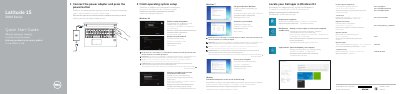
This quick start guide helps set up the Dell Latitude 15-3570 notebook. It explains connecting the power adapter, finishing operating system setup, enabling security and updates, connecting to a network, and signing in to a Microsoft account or creating a local account.
The document lists notebook features such as the camera, USB connectors, memory card reader, fingerprint reader, and battery. It also directs users to Dell product support, manuals, and regulatory information at dell.com/support.
| USB 3.0 connector | 2 |
|---|---|
| Memory card reader | Memory card reader |
| Fingerprint reader | optional |
| Power button | No LED indicator |
Connect the power adapter and press the power button.
See the Owner's Manual at dell.com/support/manuals.
Enter the password for the wireless network access when prompted.
Visit dell.com/support, dell.com/support/manuals, or dell.com/support/linux.