
The Dell Inspiron 24 3000 Series Quick Start Guide provides information on how to set up the keyboard and mouse, connect the power adapter and press the power button, set up the stand, and finish Windows setup.
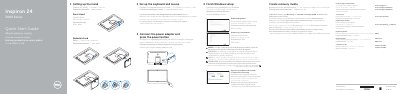
This is the Dell Quick Start Guide for the Inspiron 24 3000 Series computer, covering computer models Inspiron 24-3452 and Inspiron 24-3455 (regulatory model W12C, regulatory types W12C001 and W12C002). The text is presented in several languages, including Greek, Portuguese, Russian, Hebrew and English.
The guide walks through setting up the stand (easel stand or pedestal stand), setting up the keyboard and mouse, connecting the power adapter and pressing the power button, and finishing Windows setup: connecting to a network, enabling Dell updates, and signing in to a Microsoft account or creating a local account. It also explains creating recovery media, locating Dell apps such as SupportAssist and Dell Help & Support, registering the computer, and contacting support, with a labeled illustration of the front and side features and the tilt range of the display.
| Computer model | Inspiron 24-3452, Inspiron 24-3455 |
|---|---|
| Regulatory model | W12C |
| Regulatory type | W12C001, W12C002 |
| USB 3.0 ports | 2 |
| USB 2.0 ports | 2 |
| HDMI-out port | Inspiron 24-3455 only |
| Optical drive | Optional |
| Tilt range | 12.5° – 45° |
Set up the stand and the keyboard and mouse, connect the power adapter and press the power button, then finish the Windows setup.
In Windows search, type Recovery, click Create a recovery media, and follow the instructions on the screen.
It covers the Inspiron 24-3452 and the Inspiron 24-3455.
Dell lists Dell.com/support for product support and Dell.com/support/manuals for manuals.