
Dell Latitude 15 3000 Series Computer Quick Start Guide

Dell Latitude 15 3000 Series Quick Start Guide
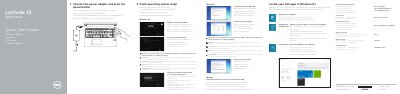

Dell Latitude 15 3000 Series Computer Quick Start Guide - cover page
Brand
DELL
Category
Laptops
Document type
Quick Start Guide
Language
English
Pages
2
File format
PDF
File size
453 KB
Published
25 November, 2023
Updated
25 November, 2023
MD5 checksum
E816AE94E8EA3AB295AEEB32850C912E

About this manual

This Quick Start Guide is for the Dell Latitude 15 3000 Series Computer, computer model Latitude 15-3560. It provides setup instructions in English, Danish, Finnish, Norwegian, and Swedish.

Topics include connecting the power adapter, finishing operating system setup, enabling security and updates, connecting to a network, and signing in to a Microsoft account. A features diagram identifies the camera, ports, buttons, status lights, and service-tag label.

What's inside

  • Connect the power adapter and press the power button
  • Finish operating system setup
  • Enable security and updates
  • Connect to your network
  • Sign in to your Microsoft account or create a local account
  • Product support and manuals
  • Regulatory and safety
  • Features

Frequently asked questions

How do I start the Dell Latitude 15 3000 Series Computer?

Connect the power adapter and press the power button.

What is the computer model listed in this guide?

The computer model is Latitude 15-3560.

Where can I download the Owner's Manual for this Dell computer?

It is available at dell.com/support/manuals.

Download PDF (453 KB)

More DELL Manuals


View all DELL manuals →