
This document is a quick start guide for Dell laptops, which introduces how to set up and use a Dell laptop.
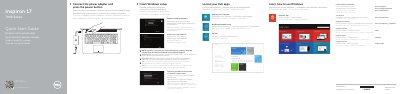
This two-page quick start guide for the Dell Inspiron 17 7000 Series laptop explains initial setup: finish Windows setup, connect the power adapter and press the power button, connect to a network, sign in to a Microsoft account or create a local account, and register the computer. It also lists Dell apps, Dell Backup and Recovery, product support and manuals, contact details, and regulatory and safety links.
The guide includes a numbered features list for the laptop, covering the right and left microphones, camera, camera-status light, power button, power-adapter port, HDMI port, network port, USB 3.0 and USB 2.0 ports, media-card reader, headset port, power and battery-status light, hard-drive activity light, left- and right-click areas, optical drive, security-cable slot, and regulatory and Service Tag labels. A shortcut-key table describes keys for audio mute, volume, play/pause, Search, Share, Devices, Settings, recently used apps, keyboard backlight, brightness, and wireless on/off.
| Series | Inspiron 17 7000 Series |
|---|---|
| Computer model | Inspiron 7746 |
| Regulatory model | P24E |
| Regulatory type | P24E002 |
| USB 2.0 ports | 2 |
Connect the power adapter and press the power button.
Enter the password for the wireless network access when prompted.
Sign in to your Microsoft account or create a local account.
Dell provides product support and manuals at dell.com/support and dell.com/support/manuals.