
This guide describes how to set up and use a Lenovo computer.
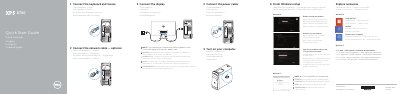
This Quick Start Guide describes the initial setup of the Dell XPS 8700 desktop computer. It covers connecting the keyboard and mouse, optional network cable, power cable, and display, turning on the computer, and finishing Windows 7 or Windows 8 setup.
The guide also lists support resources and the computer's features, including media-card reader, optical drives, USB ports, HDMI and DisplayPort connections, audio ports, expansion-card slots, and security features.
| Regulatory model and type | D14M / D14M001 |
|---|---|
| Computer model | XPS 8700 |
| USB 3.0 ports | 6 total (2 and 4) |
| USB 2.0 ports | 5 total, including one with PowerShare |
| HDMI port | 1 |
| DisplayPort | 1 |
| Audio ports | 6 |
| Expansion-card slots | 4 |
| Optical-drive covers | 2 |
The guide covers the Dell XPS 8700, with regulatory model and type D14M and D14M001.
Connect the display to the discrete graphics card rather than another display connection.
Finish Windows setup, enable security and updates, and then sign in to a Microsoft account or create a local account.
Support and manuals are listed at dell.com/support and dell.com/support/manuals.