
The Dell Vostro 15 3000 Series Quick Start Guide provides information on how to connect the power adapter and press the power button, locate Dell apps in Windows 8.1, register your computer, and use Dell Backup and Recovery.
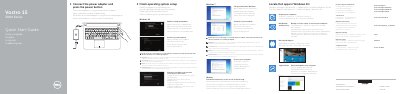
This Dell quick start guide covers initial setup of the Vostro 15-3559, including connecting the power adapter, pressing the power button, locating Dell apps, and completing operating system setup for Windows 8.1, Windows 7, or Ubuntu.
The guide also identifies the computer features and ports, lists keyboard shortcut keys for audio, display, wireless, and power functions, and directs users to the Owner's Manual at dell.com/support for more information.
| Computer model | Vostro 15-3559 |
|---|---|
| Regulatory model | P52F |
| USB 2.0 connectors | 2 |
| USB 3.0 connector | 1 |
| Operating systems | Windows 8.1, Windows 7, Ubuntu |
The guide covers the Dell Vostro 15-3559, regulatory model P52F and regulatory type P52F003.
Connect the power adapter and press the power button.
Enter the password for wireless network access when prompted.
See the Owner's Manual at dell.com/support.