
The Dell Vostro 14 5000 Series Quick Start Guide provides instructions on how to connect the power adapter, complete Windows setup, enable security and updates, connect to a network, and sign in to your Microsoft account or create a local account.
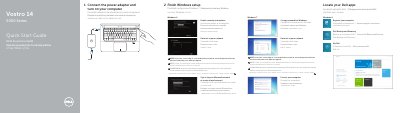
This Dell quick start guide walks through first-time setup for the Vostro 14 5000 Series laptop, including connecting the power adapter, completing Windows setup, enabling security and updates, connecting to a network, and signing in to a Microsoft account.
It also identifies system features such as the camera, HDMI and USB 3.0 connectors, fingerprint reader, and service-tag label, and directs users to Dell product support and manuals at dell.com/support/manuals.
| Fingerprint reader on Windows 7 | Not available by default |
|---|
No, it is not available for Windows 7 OS by default.
It is available at dell.com/support/manuals.