
The Dell P28F monitor complies with NOM standards.
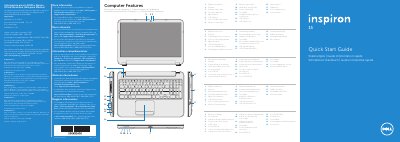
The Dell Inspiron 3521 is a laptop featuring a variety of integrated components including a digital microphone, camera, and multiple USB ports. This guide provides a visual map of the computer's features and basic setup instructions.
It includes directions for powering on the device, connecting the power adapter, and utilizing specific function keys for system controls such as brightness, volume, and wireless connectivity.
| Input Voltage | 100 – 240 V AC |
|---|---|
| Input Current | 1.50 A / 1.60 A / 1.70 A / 2.50 A |
| Input Frequency | 50 Hz – 60 Hz |
| Output Voltage | 19.50 V DC |
| Output Current | 3.34 A / 4.62 A |
The input voltage is 100 – 240 V CA.
The computer model is Inspiron 3521.
Press the power button.