
Dell Precision Tower 7810 Quick Start Guide

The Dell Precision Tower 7810 Quick Start Guide provides information on how to set up and use the Dell Precision Tower 7810 desktop computer.
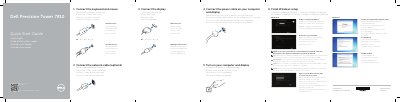

Dell Precision Tower 7810 Quick Start Guide - cover page
Brand
DELL
Category
Desktops
Document type
Quick Start Guide
Language
English
Pages
2
File format
PDF
File size
451 KB
Published
24 November, 2023
Updated
24 November, 2023
MD5 checksum
EDE3EEF8DC611BD0108CA035E6CAD5B5

About this manual

This guide helps you set up and connect your Dell Precision Tower 7810 workstation. It covers connecting peripherals like keyboard, mouse, and display, enabling security and updates, and connecting to a network. It also includes a diagram of front panel ports and optional features like optical drive and security cable slot.

The guide is multilingual, supporting Dutch, French, Spanish, Portuguese, and Chinese, and includes regulatory information for Mexico. It references Dell’s support and backup tools, and provides Windows 8 setup steps including account creation and update activation.

What's inside

  • Connect Keyboard and Mouse
  • Connect Display
  • Connect Network Cable
  • Enable Security and Updates
  • Sign In to Microsoft Account
  • Front Panel Ports Diagram
  • Windows Setup
  • Regulatory Information
  • Support and Manuals

Frequently asked questions

What is the input voltage for the Dell Precision Tower 7810?

The input voltage is 100 V CA–240 V CA.

What is the maximum input current for the Dell Precision Tower 7810?

The maximum input current is 6 A.

What is the input frequency for the Dell Precision Tower 7810?

The input frequency is 50 Hz–60 Hz.

Download PDF (451 KB)

More DELL Manuals


View all DELL manuals →