
Dell OptiPlex 3240 All-in-One Quick Start Guide

OptiPlex 3240 All-in-One Quick Start Guide
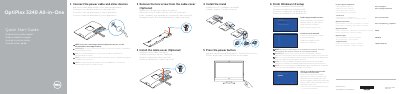

Dell OptiPlex 3240 All-in-One Quick Start Guide - cover page
Brand
DELL
Category
All-in-One Desktops
Document type
Quick Start Guide
Language
English
Pages
2
File format
PDF
File size
413 KB
Published
24 November, 2023
Updated
24 November, 2023
MD5 checksum
A8B24D588EA7F28C78431030C7187E03

About this manual

This guide shows how to connect the power cable and other devices, install the stand, press the power button, and finish Windows 10 setup on the Dell OptiPlex 3240 All-in-One. It also notes optional steps for removing and installing the cable cover.

The second page identifies the computer's external features and ports, including USB, DisplayPort, HDMI-out, network, audio, and memory card reader connections, and points to Dell apps such as Dell Product Registration and Dell SupportAssist.

What's inside

  • Connect the power cable and other devices
  • Remove the torx screw from the cable cover (Optional)
  • Install the cable cover (Optional)
  • Install the stand
  • Press the power button
  • Finish Windows 10 setup
  • Features
  • Locate Dell apps
  • Dell Product Registration
  • Dell SupportAssist

Frequently asked questions

Where can I find more information about the OptiPlex 3240 All-in-One?

See the Owner’s Manual at dell.com/support.

What should I do when connecting a wireless keyboard or mouse?

See the documentation that shipped with it.

What should I do when connecting to a secured wireless network?

Enter the password for the wireless network access when prompted.

What are the steps to finish Windows 10 setup?

Enable Support and Protection, connect to your network, and sign in to your Microsoft account or create a local account.

Download PDF (413 KB)

More DELL Manuals


View all DELL manuals →