
The document describes how to connect the keyboard, mouse, display and power cord.
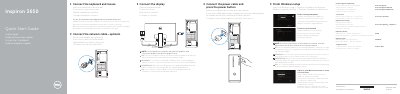
The Dell Inspiron 3650 Quick Start Guide provides essential instructions for setting up the computer, including connecting peripherals, power, and the display, as well as completing the Windows installation process.
It includes a detailed layout of the computer's features, identifying various ports such as USB 3.0, HDMI, VGA, and network connections, along with power and diagnostic indicators.
| USB 3.0 ports | 2 |
|---|---|
| USB 2.0 ports | 4 |
| Audio ports | 3 |
| Regulatory model | D19M |
If the computer was ordered with a discrete graphics card, the display should be connected to that card.
The Inspiron 3650 has 2 USB 3.0 ports.
The Inspiron 3650 has 4 USB 2.0 ports.
The optical drive is optional.