
logitech® mouse user guide, introduces the installation, connection and use of the mouse.
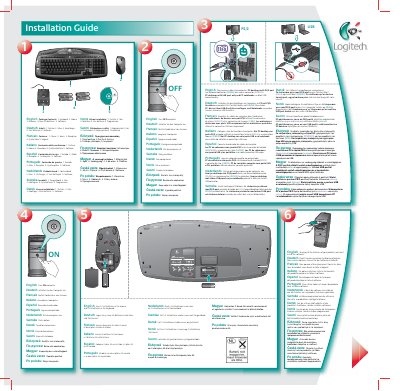
This installation guide covers setup of a Logitech mouse and keyboard set. It lists the package contents and gives multilingual instructions for turning the computer off and on, installing the software, and connecting the receiver.
The guide also explains how to insert two AA batteries into the mouse and two AA batteries into the keyboard, and states that PS/2 desktops use the purple keyboard and green mouse connectors while USB-only PCs and notebooks use the black USB connector.
| Batteries | 2 AA in the mouse and 2 AA in the keyboard |
|---|---|
| Computer connection | PS/2 keyboard and mouse connectors, or black USB connector |
| Package contents | Keyboard, mouse, receiver, four AA batteries, software |
The mouse uses two AA batteries and the keyboard uses two AA batteries.
Use the purple keyboard connector and the green mouse connector.
Yes, the software must be installed to use all product features.