
The Optoma UHD35X is a 4K UHD projector with 3600 lumens of brightness and a 1,000,000:1 contrast ratio. It supports HDR10 and HLG, and has a 1.1x zoom lens.
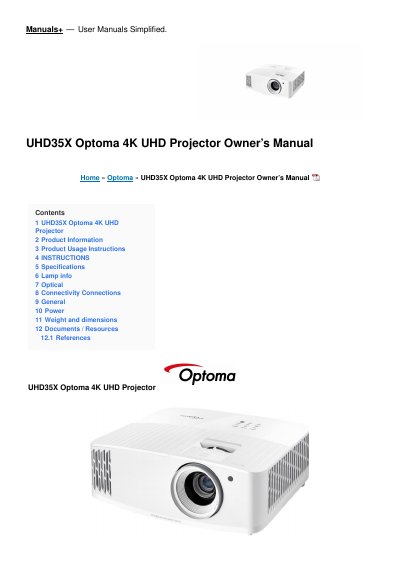
This owner's manual covers the Optoma UHD35X, a True 4K UHD (3840x2160) DLP projector for gaming and home entertainment. It lists product information, specifications, and basic usage instructions covering placement, cable connections, power-up, keystone correction, input selection, and zoom/focus adjustment.
The UHD35X delivers 3,600 lumens for lights-on viewing, is HDR and HLG compatible, and supports Full 3D. For gaming it delivers 1080p at 240Hz with an ultra-low input lag of 4.2ms. The manual also details lamp info, optical characteristics, connectivity, power, and weight and dimensions.
| Display technology | DLP |
|---|---|
| Resolution | UHD (3840x2160) |
| Brightness | 3,600 lumens |
| Contrast ratio | 1,000,000:1 |
| Native aspect ratio | 16:9 |
| Screen size | 0.84m ~ 7.62m (33" ~ 300") diagonal |
| Light source | 240 W lamp, up to 4000 (Bright) / 15000 (Dynamic) / 10000 (Eco) hours |
| Throw ratio | 1.5:1 ~ 1.66:1 |
| Projection distance | 1.21m – 9.9m |
| Zoom | 1.1 manual zoom |
| Inputs | 2 x HDMI 2.0 |
| Outputs | 1 x Audio 3.5mm, 1 x S/PDIF, 1 x USB-A power 1.5A |
| Control | 1 x RS232, 1 x 12V trigger |
| Noise level | 26dB typical, 28dB max |
| Input lag | 4.20ms |
| Speaker | 1 x 10W |
| Power supply | 100 ~ 240V, 50 ~ 60Hz |
| Power consumption | 0.5W standby, 220W min, 305W max |
| Dimensions (W x D x H) | 315 x 270 x 118 mm |
| Weight | 3.98 kg net, 4.68 kg gross |
| Operating conditions | 5°C~40°C, max altitude 3000M, max humidity 85% |
| Keystone correction | Horizontal and vertical +/-40° |
The UHD35X has an ultra-low input lag of 4.2ms and delivers 1080p at 240Hz, suited to competitive gaming.
The box contains an AC power cord, remote control, 2x AAA batteries, and a basic user manual.
It has 2 x HDMI 2.0 inputs; audio 3.5mm, S/PDIF and USB-A power (1.5A) outputs; and RS232 and 12V trigger control ports.
Place it with a clear line of sight to the screen, connect the cables and power, turn it on, adjust keystone correction, select the input source, and use the zoom and focus controls to adjust the image.