
The TP-LINK TL-WA850RE is a wireless extender that can double the range of your existing Wi-Fi network. It is dual-band, so it can connect to both 2.4GHz and 5GHz networks. It also has a built-in power outlet, so you can use it anywhere in your home.
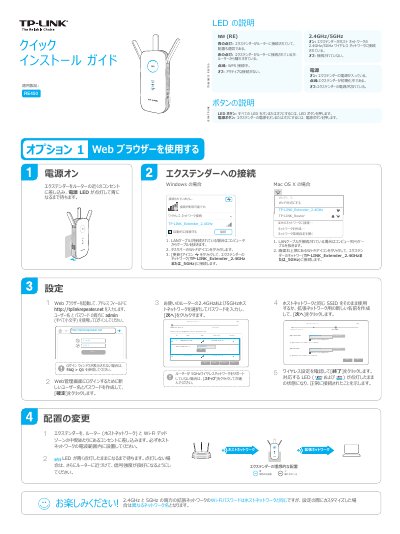
This guide explains how to set up the TP-LINK RE450 wireless extender. It describes LED and button meanings, connecting through a web browser or WPS, placing the extender for good signal, and using it as a wireless adapter for Ethernet-only devices.
It also covers the TP-LINK Tether app, changing basic extended network settings, restoring factory defaults, and answers common setup questions. This manual is written in Japanese.
| Supported wireless bands | 2.4 GHz and 5 GHz |
|---|---|
| Default extended network SSIDs | TP-LINK_Extender_2.4GHz and TP-LINK_Extender_5GHz |
Make sure the computer is connected to the extended network SSID or to the extender by LAN cable, set the computer to obtain an IP address automatically, and enter http://tplinkrepeater.net correctly.
The host network Wi-Fi password may have been entered incorrectly; check it in the web management interface and retry, or reset the extender and set it up again.
While the extender is powered on, press and hold the reset button until all LEDs flash briefly.