
This instruction manual is about the installation, use and maintenance of Optoma ALR101 screen.
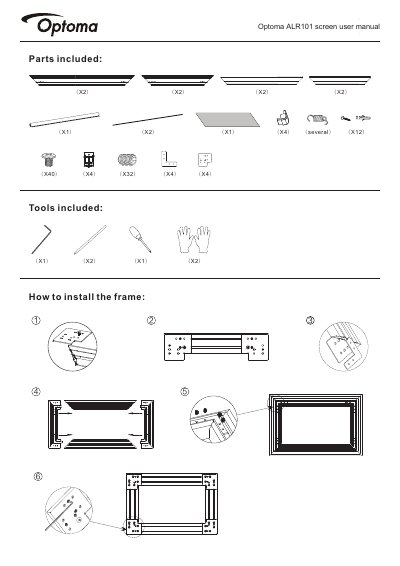
This is the user manual for the Optoma ALR101 screen. It starts with the parts and tools included in the package and then walks through the assembly of the screen: installing the frame, fitting the fabric (with a note to check for creases and to be careful of fingers), installing the frame cover, and connecting the springs to the screen and frame.
The second part covers mounting and upkeep. It shows the upper and bottom brackets with their lock and unlock positions and the micro adjustment, explains how to cover the screen when it will not be used for long periods, and gives instructions for cleaning the fabric with a soft cloth, warm water and a soft detergent, letting it air dry and avoiding solvents, chemical agents or abrasive materials.
Gently rub the fabric with a soft cloth and warm water mixed with a soft detergent, working with the grain of the fabric, then let the screen air dry.
Do not use solvents, chemical agents or any abrasive material, as this can cause permanent damage to the screen.
Cover it with a large sheet or cloth to prevent dust and dirt building up in the fabric.
Make sure there are no creases when laying out the fabric, and be careful of your fingers when attaching it.