
TP-LINK full-color alarm network camera is a PoE-powered network camera that supports wall, ceiling and bracket mounting and can be connected to a regular NVR via PoE-powered Ethernet devices.
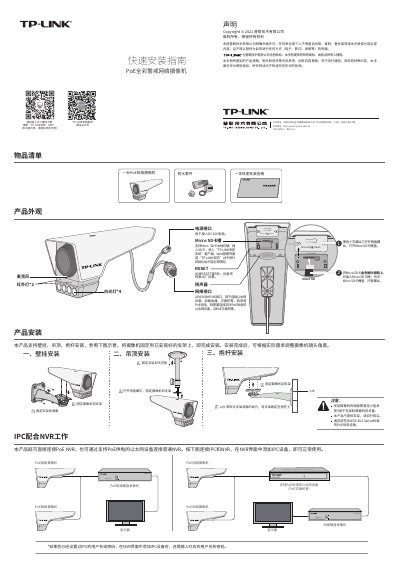
This is the Chinese quick installation guide for the TP-LINK PoE full-color alarm network camera. It presents the camera appearance and package contents, then explains wall, ceiling, and pole mounting.
It also covers the Micro SD card slot, adding the camera with the TP-LINK Security app, customer service contacts, warranty terms, and troubleshooting FAQ. This manual is written in Chinese.
| Network Interface | 10M/100M RJ45 |
|---|---|
| PoE Standard | IEEE 802.3af/at |
| Power Input | DC 12V |
| Local Storage | Micro SD card |
| Reset | Long press RESET for 5 seconds |
Tap “+” in the app, then scan the QR code on the camera body.
Press and hold the RESET button for 5 seconds.
Check that the cable between the IPC and the computer or recorder is clear.
In the TP-LINK Security app, open the IPC settings and go to Device Control → Night Vision Lighting Mode.