
Xc706m is a controller used for controlling multi-head parallel units (compressors) in refrigeration systems, and it can display low pressure (pressure), and can switch between pressure and temperature displays.
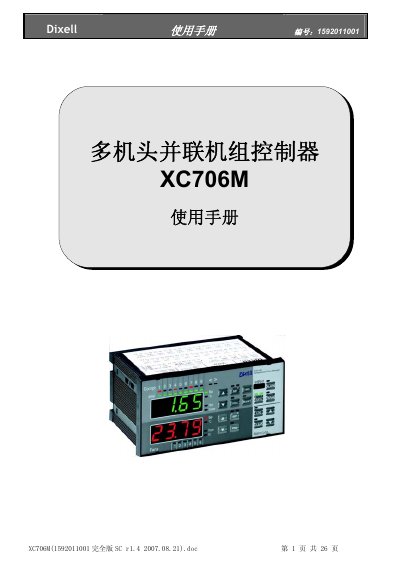
The Dixell XC706M is a controller for multi-compressor parallel rack units in refrigeration systems. It regulates the LP low-pressure side by temperature and pressure, handles single-stage, multi-stage or multiple compressors of the same or different power, and uses an internal self-adjusting system to balance compressor running times. The front panel shows suction pressure or temperature, load status and alarm or maintenance conditions, and the controller can connect to an XJ500 monitoring system through an RS485 port using Modbus-RTU.
The manual covers safety measures, first installation (setting the built-in real-time clock, the refrigerant type, the pressure probe range and the relative or absolute pressure display), the compressor and alarm sections of the control panel, parameter programming with a safety password, display of output status, stopping outputs during maintenance, display and reset of load running hours, and the alarm log. This manual is written in Chinese.
| Communication | Modbus-RTU over RS485, connection to XJ500 monitoring system |
|---|---|
| Selectable refrigerant types | R22, R404A, R507, R134, R717 (ammonia) |
| PP07 probe measuring range | -0.5 to 7.0 bar (relative pressure) |
| PP11 probe measuring range | -0.5 to 11 bar (relative pressure) |
| PP30 probe measuring range | 0 to 30 bar (relative pressure) |
The refrigerant type parameter FtyP can be set to R22, R404A, R507, R134 or R717 (ammonia).
The built-in real-time clock, the refrigerant type and the pressure probe range.
Set the rELP parameter to AbS and confirm with the SET key; the controller defaults to relative pressure display.
It can connect to the XJ500 centralized monitoring system through its RS485 port using Modbus-RTU.