
FUTEK IPM650 Analog Output Guide

This manual introduces how to configure IPM650 analog output, including voltage output and current output.
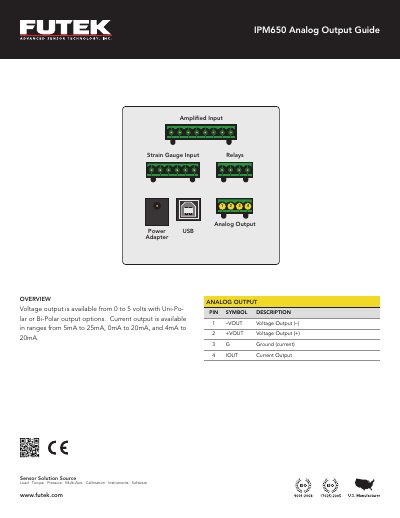

FUTEK IPM650 Analog Output Guide - cover page
Brand
Futek
Category
sensor
Document type
User Manual
Language
English
Pages
2
File format
PDF
File size
382 KB
Published
18 October, 2023
Updated
18 October, 2023
Model
IPM650
MD5 checksum
F1CBF35C6190CE2005B82AE87E9BBE28

About this manual

This guide explains how to configure voltage and current output settings for the FUTEK IPM650 sensor. Users can select between uni-polar and bi-polar voltage modes, or choose current output ranges like 4-20mA. Configuration is done via a menu system on the device's screen. Settings can be saved as defaults or discarded.

What's inside

  • Analog Output
  • Voltage Output
  • Current Output
  • Output Configuration
  • Menu Navigation

Frequently asked questions

What current output ranges are available?

The available ranges are 5-25 mA, 0-20 mA, and 4-20 mA.

How do I enable voltage output?

Navigate to INTERFACES > VOLTAGE OUTPUT and select ENABLE.

Download PDF (382 KB)

More Futek Manuals


View all Futek manuals →