
Key facts
Start here
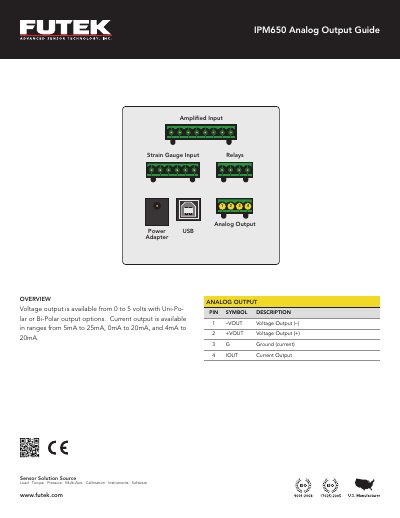
FUTEK IPM650 Analog Output Guide
User Manual 2 pages · 382 KB · EN
This guide explains how to configure voltage and current output settings for the FUTEK IPM650 sensor. Users can select between uni-polar and bi-polar voltage modes, or choose current output ranges like 4-20mA. Configuration is done via a menu system on the device's screen. Settings can be saved as defaults or discarded.
Read onlineFUTEK IPM650 specifications
| Resolution | 24 Bits |
|---|---|
| Noise Free Resolution | 20 Bits |
| Input Range (Strain Gauge) | +/-500 mV/V |
| Analog Voltage Output | 0-5 or +/- 5 VDC |
Source: FUTEK IPM650 Intelligent Panel Meter Product Brochure
All FUTEK IPM650 documents by type
Product Leaflet 1
User Manual 1
Day-to-day operation, settings and troubleshooting. Start here if the product is already set up.
Questions answered in these manuals
What sensors is the IPM650 compatible with?
It works with Load Cells, Torque Sensors and Pressure Sensors.
Does the device support TEDS?
Yes, it supports TEDS which makes it easy to switch between different sensors.
What current output ranges are available?
The available ranges are 5-25 mA, 0-20 mA, and 4-20 mA.
How do I enable voltage output?
Navigate to INTERFACES > VOLTAGE OUTPUT and select ENABLE.