
Extech MO210 Moisture Meter can detect moisture in wood and building materials such as wall board, sheet rock, cardboard, paper, plaster, concrete, and mortar.
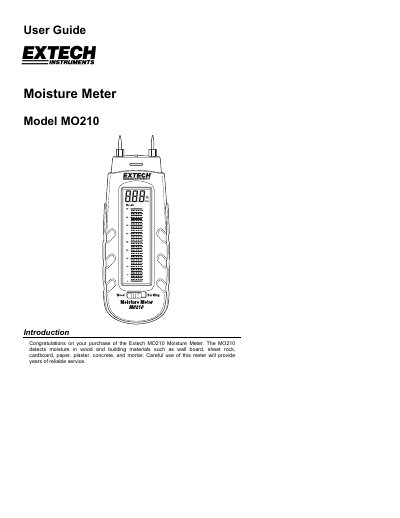
This user guide explains how to operate the Extech MO210 moisture meter for detecting moisture in wood and building materials. It includes instructions for using the dual-scale LCD display, auto power-off feature, and electrode pin replacement. The guide also covers battery replacement, verification tests, and warranty information.
Technical specifications include a dual measurement scale LCD with bargraph, electrical resistance measurement principle, 0.3” electrode pins, and 3 CR-2032 batteries. The meter operates from 32°F to 104°F and weighs 3.5 oz.
| Display | Dual measurement scale LCD with bargraph metering |
|---|---|
| Measurement principle | Electrical resistance |
| Wood moisture range | 6 to 44% |
| Building materials moisture range | 0.2 to 2.4% |
| Electrode length | 0.3” (8mm) |
| Auto Power OFF | After approx. 15 minutes |
| Power supply | Three (3) CR-2032 button cells |
| Operating Temperature | 32 to 104 o F (0 to 40 o C) |
| Operating Humidity | 85% Relative Humidity maximum |
| Dimensions | 5.1 x 1.6 x 1.0” (130 x 40 x 25mm) |
| Weight | 3.5 oz. (100g) |
The meter automatically turns on when the protective cap is removed and turns off when the cap is replaced or after 15 minutes if the cap is left off.
Touch the electrode pins to test points 3 and 4 labeled ‘B’ on the cap; the meter should read > 44% on the wood moisture scale.
It detects moisture in wood and building materials such as wall board, sheet rock, cardboard, paper, plaster, concrete, and mortar.
Remove the Phillips head screw, replace the CR-2032 batteries, and secure the compartment with the screw.