
TOUGHSwitch PoE PRO is an 8-port Ethernet Power over Ethernet Managed Switch with 1 Power over Ethernet port, which can provide power to other devices.
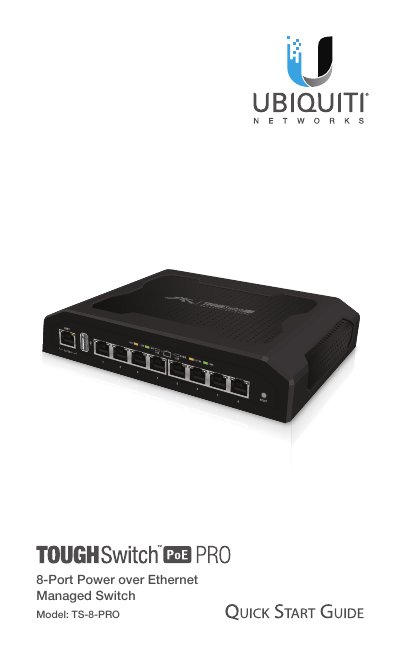
This Quick Start Guide provides essential installation instructions for the Ubiquiti Networks TOUGHSwitch PoE Pro (Model TS-8-PRO). It covers package contents, hardware overview, and critical installation requirements such as ventilation clearance and cabling standards for outdoor use.
The guide details how to connect power and Ethernet cables, access the web-based Configuration Interface using a static IP address, and configure Power over Ethernet (PoE) settings. It also includes a list of front panel LED status indicators and key technical specifications.
| Dimensions | 210 x 185 x 41 mm (8.27 x 7.28 x 1.61") |
|---|---|
| Weight | 1.24 kg (2.73 lb) |
| Power Input | 110-120VAC / 210-230VAC |
| Max. Power Consumption | 150W |
| PoE Out Voltage Range | 45-48 VDC / 22-24VDC |
| Max. PoE Wattage Per Data Port (24V) | 11.5W |
| Max. PoE Wattage Per Data Port (48V) | 23W |
| ESD Rating | 24 kV Air/Contact |
| Operating Temperature | -25 to 55° C (-13 to 131° F) |
| Operating Humidity | 90% Noncondensing |
| Processor | MIPS 24K, 400 MHz |
| System Memory | 64 MB |
| Code Storage | 8 MB |
| Management Port | 10/100 Ethernet Port |
| Data Ports | 8 x 10/100/1000 Ethernet Ports |
The default username and password are both 'ubnt'.
You should configure your host system with a static IP address on the 192.168.1.x subnet, such as 192.168.1.100.
The default IP address is 192.168.1.20.
No, PoE is disabled by default on all numbered ports.