
This document is the instruction manual for FrSky Neuron 40/60/80, introducing the features and characteristics of the product
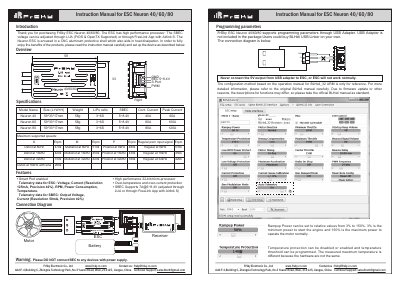
The document serves as an instruction manual for the FrSky Neuron series of Electronic Speed Controllers (ESC), specifically models 40, 60, and 80. It details the device features, including a high-performance 32-bit micro-processor, Smart Port telemetry capabilities, and SBEC voltage adjustment options via LUA or FreeLink App.
| Supported Battery Voltage (3~6S) | 5~8.4V SBEC |
|---|---|
| SBEC Output Voltage Range | 5~8.4V |
| Neuron 40 Continuous Current | 40A |
| Neuron 60 Continuous Current | 60A |
| Neuron 80 Continuous Current | 80A |
| Neuron 40 Peak Current | 60A |
| Neuron 60 Peak Current | 100A |
| Neuron 80 Peak Current | 120A |
| Weight (All Models) | 58g |
| Dimensions (All Models) | 59*33*17mm |
The SBEC voltage can be adjusted through LUA (FrOS & OpenTX Supported) or through FreeLink App with Airlink S.
Rampup Power can be set to relative values from 3% to 150%, where 3% is the minimum power to start the engine.
Yes, the PWM frequency could be programmed between 16kHz and 48 kHz.
You should never do this, or the ESC will not work normally.