
Product Name: HP LaserJet Pro M15w Printer Product Introduction: HP LaserJet Pro M15w Printer is a compact, multifunction, black and white laser printer suitable for small offices and homes. It features a 4.3-inch color touch screen, automatic duplex printing, and automatic paper feed, making it easy for you to print, scan, and copy documents. Brand: HP Product Model: LaserJet Pro M15w
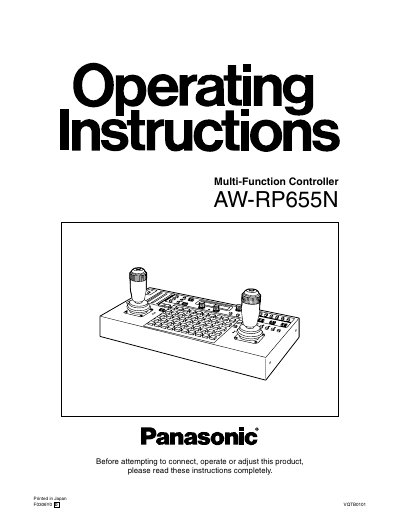
The Panasonic AW-RP655N is a multi-function controller designed to control pan/tilt head systems, including compatible models like the AW-PH300 series and AW-PH650. It allows for operation from up to three locations by connecting up to two additional units and supports connections for up to five pan/tilt head systems with cable extension capabilities.
The document details safety precautions, parts identification, connection procedures, and operational settings such as power management, camera model selection, travel range adjustment, and memory presets. It also covers specific functions like Genlock adjustment, white/black balance, and the use of inter-communication headsets.
| Maximum additional units | 2 |
|---|---|
| Cable type for connection | 10BASE-T straight cable (UTP category 5) |
| Maximum connected pan/tilt head systems | 5 |
| Max cable length with AW-PH360/350/650 | 1,000 meters (3,280 feet) |
| Max cable length with other heads | 800 meters (2,624 feet) |
| Compatible Pan/Tilt Heads | AW-PH300, AW-PH300A, AW-PH350, AW-PH360, AW-PHS00, AW-PH600, AW-PH650 |
| Recommended Power Supply | AW-PS505A |
Up to 2 additional units may be attached, allowing control from 3 locations.
A 10BASE-T straight cable (UTP category 5) must be used.
Yes, by setting the IRIS button to AUTO, the lens iris is adjusted automatically.
Turning the OPERATE switch to OFF does not turn the unit's power completely off; the AC adapter power switch must also be turned off.