
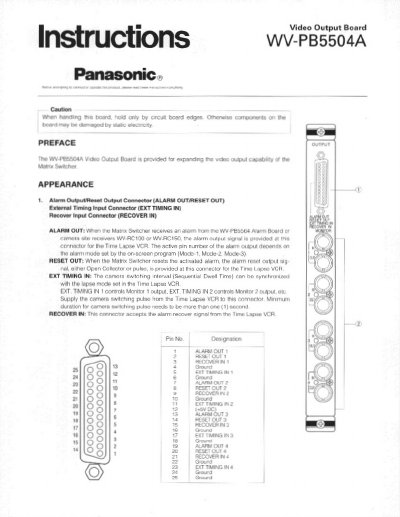
This document provides installation instructions for the Panasonic WV-PB5504A Video Output Board. It details how to configure board switches for monitor output numbers, alarm reset signals, and character display modes before physical installation.
The guide covers the removal of the rear panel from a Matrix Switcher, sliding the board into the slot, and securing it with screws. It also includes specifications for video, alarm, and timing inputs/outputs.
| Alarm Output (1 - 4) | Open collector output: 16VDC 100mA max. |
|---|---|
| Reset Output (1 - 4) | Pulse (VTR): +5VDC 500msec. or Open collector output: 16VDC 100mA max. |
| Dimensions | 24.5(W) x 26.5(H) x 26.0(D) mm |
| Weight | 400g (0.9 lbs.) |
Set switches SW1 to meet the desired monitor output number as shown in the table.
The factory defaults to the normal (NOR) position.