
Panasonic WV-Q118 Wall Mount Bracket Installation Instructions

This document describes the installation method of WV-Q118 wall mount bracket, including the use of the bracket, installation location and installation steps.
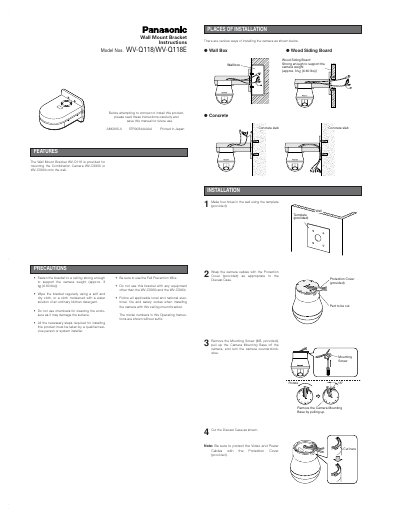

Panasonic WV-Q118 Wall Mount Bracket Installation Instructions - cover page
Brand
Panasonic
Category
Monitoring Equipment
Document type
User Manual
Language
English
Pages
2
File format
PDF
File size
232 KB
Published
08 August, 2012
Updated
30 September, 2023
MD5 checksum
9C78767F830698C5B48ECBDAC211FDC1

About this manual

This document provides installation instructions for the Panasonic WV-Q118 Wall Mount Bracket. It details the necessary precautions, such as using the Fall Prevention Wire and ensuring the wall can support the camera weight (approx. 3 kg). The bracket is specifically designed for mounting the Combination Camera models WV-CS950 and WV-CS954.

What's inside

  • Features
  • Precautions
  • Places of Installation
  • Installation
  • Specifications
  • Standard Accessories

Frequently asked questions

What is the maximum weight this bracket can support?

The bracket is designed to support a camera weighing approximately 3 kg or 60 lbs.

Which specific Panasonic cameras are compatible with this bracket?

This bracket is intended for use only with the WV-CS950 and WV-CS954 combination cameras.

What are the dimensions of the Wall Mount Bracket?

The bracket measures 165 mm (6-1/2") in width, 140 mm (5-37/64") in height, and 217.5 mm (8-37/64") in depth.

Download PDF (232 KB)

More Panasonic Manuals


View all Panasonic manuals →