
This manual introduces the basic operation and installation of S65-PA-5-V09 colour sensor.
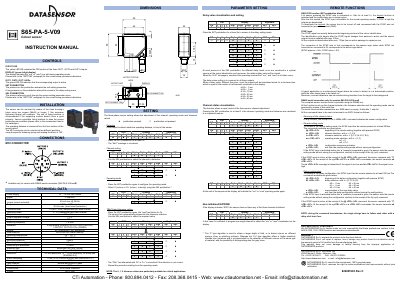
This document is the instruction manual for the Datasensor S65-PA-5-V09 colour sensor. It details the operation of the device's three outputs (OUT1, OUT2, OUT3) controlled by a 4-digit display and pushbuttons. The guide explains how to configure detection channels, operating modes (colour or colour + intensity), tolerance levels, and delay values.
| Power supply | 0...30Vdc OR 12...24Vdc (implied by context of typical sensors, but text says 'ok RaTx-, 10...30VDC' and 'Consumption ... @ 24Vde') |
|---|---|
| Ripple | 2 Vpp max. |
| Consumption | 60 mA max. @ 24Vdc |
| Outputs | 3 PNP or NPN outputs |
| Output current | 100 mA max. |
| Response time | 335us |
| Switching frequency | 1.5 KHz |
| Housing material | ABS |
| Lens material | window and lenses in glass |
| Mechanical protection | IP67 |
| Connections | M12 8-pole connector |
| Weight | 100 g max. |
Press and hold the SET pushbutton for a long time to allow access to the delay setting menu.
The yellow LED being ON indicates the OR function of the three OUT1, OUT2 and OUT3 outputs.
It can be mounted using two screws (M4x25 or longer) with washers through the housing's holes.
The RS485 line uses a baud rate of 9600.