
S80-MH-5-Y09 Laser pulse distance sensor with laser emission and time of flight measurement. The manual introduces the operation of the control panel and display, as well as the installation of the sensor.
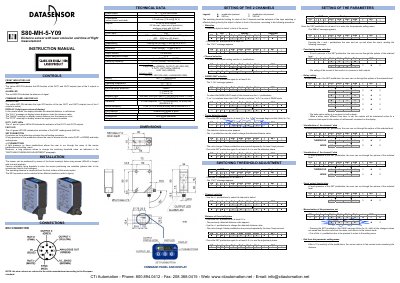
The document provides instructions for installing and connecting the Datasensor S80-MH-5-Y09 laser distance sensor. It details the front panel controls, including indicators for output status, alarms, and fast reading modes, as well as the M12 connector wiring scheme.
The manual explains how to configure the sensor using pushbuttons to adjust switching thresholds, select between normal and fast measurement modes, and set delay times. It also covers entering the parameter setting menu to customize functions such as channel selection, data visualization, and serial output deactivation.
| Measurement range | 0...4000 mm (from 80% while to 18% grey) |
|---|---|
| Linearity | 0.3% |
| Repeatability | 3mm @ 4m (NORM) / 5 mm @ 4m (FAST) |
| Digital resolution | 0.3 mm |
| Response time | 5 ms (NOAM) ; 1 ms (FAST) |
| Switching frequency | 100 HZ (NORM) . 500 Hz (FAST) |
| Power supply | 6...30 Vdc |
| Consumption | 170 mA max (110 mA @ 24 V) |
| Emission type | Red laser (665 nm) Class 2 |
| Housing material | aluminium |
| Weight | 330 g. max. |
It indicates that the detected distance is under the minimum value.
By pressing the SET pushbutton once.
The n.3 green LED (FAST LED) turns ON.
The sensor returns to normal mode after 10 seconds of inactivity.