
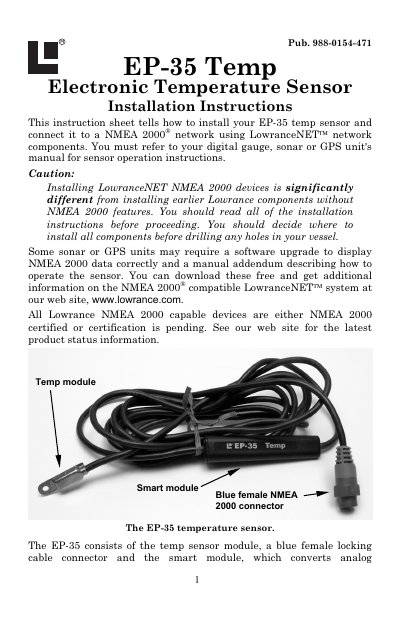
This instruction sheet tells how to install your EP-35 temp sensor and connect it to a NMEA 2000 network using LowranceNET network components. You must refer to your digital gauge, sonar or GPS unit's manual for sensor operation instructions.
This document provides installation instructions for the Lowrance EP-35 Electronic Temperature Sensor. It details how to connect the sensor module to a NMEA 2000 network using T-connectors and terminators, ensuring proper signal transmission between the transom-mounted sensor and the smart module.
The guide covers selecting an appropriate mounting location, such as on a transom or in a livewell, and describes the required tools and supplies for installation. It also explains how to route cables through bulkheads and seal them properly to ensure water-tight integrity.
| Operating Temperature Range | 4° to 176° F (-20° to 80° C) |
|---|---|
| Connector Type | Blue female locking NMEA 2000 connector |
The sensor packs with a T connector needed to attach it to a LowranceNET NMEA 2000 network.
Yes, if this is the first sensor being connected, you will need to purchase a LowranceNET Node Kit.
The most common applications are on a transom to measure surface water temperature, or in a livewell.