
This document describes the additional EP-DDS settings, including frequency, Sonar On/Off and Offset.
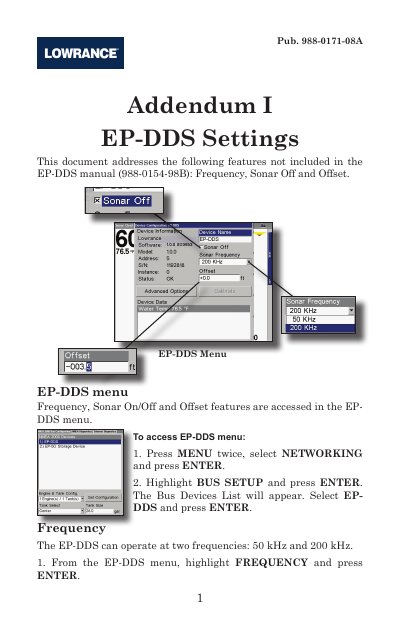
This document serves as an addendum to the EP-DDS manual, addressing specific features not included in the main guide. It covers the configuration of Frequency (50 kHz or 200 kHz), the Sonar Off feature for use with other transducers, and Offset settings for Keel and Waterline adjustments.
| Operating Frequencies | 50 kHz and 200 kHz |
|---|
Press MENU twice, select NETWORKING and press ENTER, then highlight BUS SETUP and press ENTER.
You should turn off the EP-DDS when using another transducer on the boat.
Measure the distance from the transducer to the lowest part of the keel and input it as a negative number in the OFFSET menu.