
This manual shows how to install an EP-65R Fluid Level sensor and how to connect it to a NMEA 2000® network. It also provides instructions on how to configure and calibrate your fluid level sensor with Lowrance digital gauges (LMF-200 & LMF-400) and display units. NMEA 2000 is the communication bus standard developed by the National Marine Electronics Association (NMEA) for use in boats. Lowrance has introduced the LowranceNet™, a line of products that can communicate over a NMEA 2000 network. All Lowrance NMEA 2000 capable devices are either NMEA 2000 certified or certification is pending.
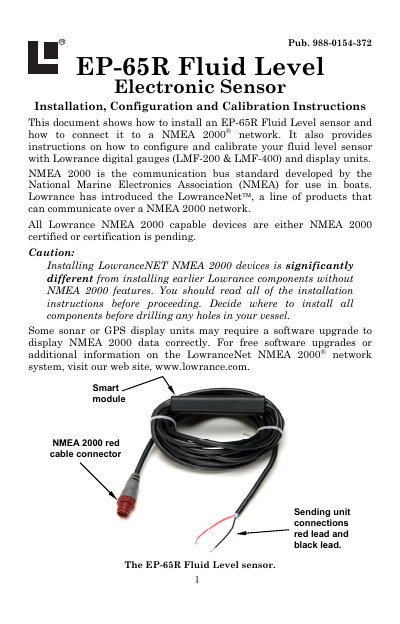
This manual provides instructions for installing the Lowrance EP-65R Fluid Level Electronic Sensor and connecting it to a NMEA 2000 network. The sensor is designed to monitor fluid levels in various tanks, including fuel, live wells, oil, and water tanks, by converting data from a sending unit into a format readable by digital gauges and display units.
| Cable length (connector to smart module) | 18 inches (46 cm) |
|---|---|
| Cable length (smart module to bare wires) | 10 feet (3 meters) |
| Compatible with | Lowrance digital gauges (LMF-200 & LMF-400) |
The sensor is designed to monitor fuel, live well, oil, fresh water, waste water (gray water), and black water tanks.
Yes, it can be added to a blue connector network by using a red female to blue female adapter cable.
You can add a node to any existing connection by separating the sockets of the existing connection and installing a T connector between them.