
This document shows how to install an EP-80R temp sensor and how to connect it to a NMEA 2000® network. It also provides instructions on how to configure your temp sensor with Lowrance digital gauges (LMF- 200 & LMF-400) and display units.
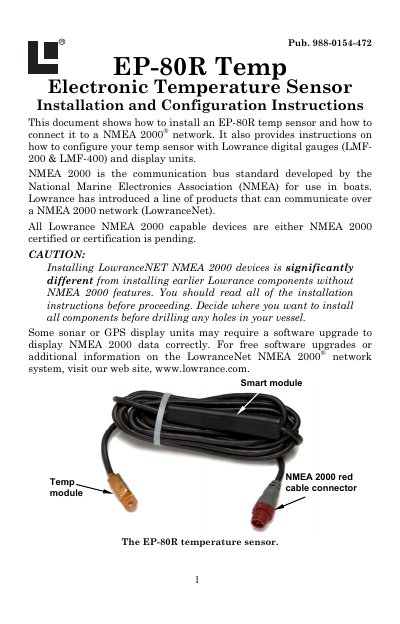
This manual provides instructions for installing the Lowrance EP-80R electronic temperature sensor and connecting it to a NMEA 2000 network. The sensor consists of a temp module, a smart module, and a red cable connector, designed to convert analog temperature data to NMEA 2000 format. It is compatible with LowranceNet blue connector networks using an adapter cable.
| Cable length (connector to smart module) | 18 inches (46 cm) |
|---|---|
| Cable length (smart module to temp module) | 10 feet (3 meters) |
It is designed for use with a NMEA 2000 network and is also compatible with LowranceNet blue connector networks using an adapter cable.
A screwdriver is needed for mounting, along with a #8 stainless steel screw and marine-grade sealant/adhesive compound.