
This document is the AJA FS2 Quick Start Guide, which introduces the installation, connection and operation steps of FS2
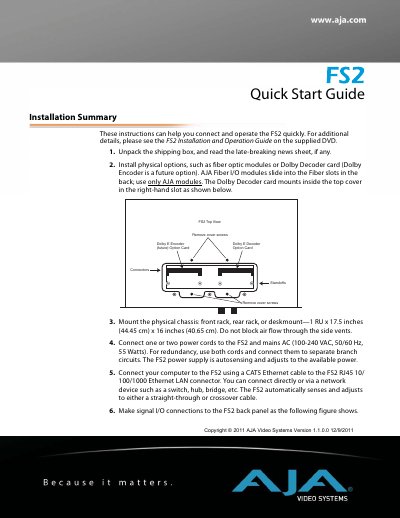
The document serves as a Quick Start Guide for the AJA FS2 device. It outlines essential steps for unpacking, mounting the chassis, connecting power, and establishing network communication via Ethernet. The guide also details how to configure IP settings using the front panel controls or web browser menus.
Additionally, the text provides quick workflows to get video and audio passing through the unit immediately out of the box. It covers factory default settings for input sources (SDI 1/2), output formats, frame rates, and genlock sources, along with specific menu operations required to achieve this setup.
The chassis measures 1 RU in height, with a width of 17.5 inches (44.45 cm) and a depth of 16 inches (40.65 cm).
The device accepts mains AC power ranging from 100-240 VAC at 50/60 Hz.
If automatic addressing fails or a static address is selected, the device defaults to 192.168.0.2.