
Key facts
- Brand
- AJA
- Model
- FS2
- Documents
- 2
- Languages
- EN
- Last added
- 2012-07-09
Start here
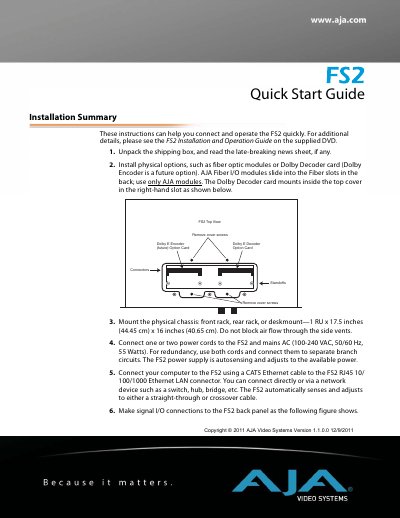
AJA FS2 Quick Start Guide
The document serves as a Quick Start Guide for the AJA FS2 device. It outlines essential steps for unpacking, mounting the chassis, connecting power, and establishing network communication via Ethernet. The guide also details how to configure IP settings using the front panel controls or web browser menus.
Additionally, the text provides quick workflows to get video and audio passing through the unit immediately out of the box. It covers factory default settings for input sources (SDI 1/2), output formats, frame rates, and genlock sources, along with specific menu operations required to achieve this setup.
All AJA FS2 documents by type
Day-to-day operation, settings and troubleshooting. Start here if the product is already set up.
The shortest path to a working setup, usually only a few pages.
Questions answered in these manuals
What is the warranty period for the AJA FS2?
The product is warranted to be free from defects in materials and workmanship for a period of five years from the date of purchase.
How can I control the FS2 remotely?
You can control the FS2 via a web browser or through an optional remote control panel.
What are the physical dimensions of the FS2 chassis?
The chassis measures 1 RU in height, with a width of 17.5 inches (44.45 cm) and a depth of 16 inches (40.65 cm).
What power voltage and frequency does the FS2 accept?
The device accepts mains AC power ranging from 100-240 VAC at 50/60 Hz.