
This document describes the features and functions of the 700 series 200 Amp Clamp Meters. It includes non-contact voltage detection, maximum value capture, and the use of the rotary switch. It also mentions safety precautions that need to be taken during use.
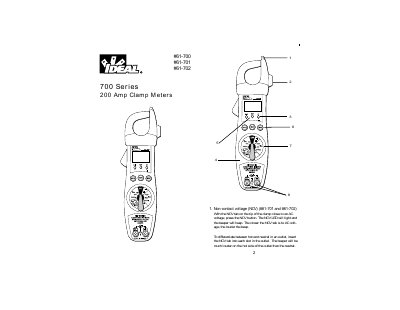
This manual provides instructions for the IDEAL 61-700, 61-701, and 61-702 200 Amp Clamp Meters. It details the use of the rotary switch for various measurements including AC/DC voltage, current, frequency, resistance, capacitance, diode, and continuity checks. The document also explains the functions of the NCV button, Max button, and Hold button, as well as the specific features of the 61-701 and 61-702 models like the Hi-V indicator and shake function.
| AC Current Range | 200A |
|---|---|
| AC Current Accuracy | +(3%+5) |
| DC Voltage Range | 19000V |
| AC Voltage Range | 750V |
| Frequency Range | 2k~40kHz |
| Capacitance Range | 200MFD |
| Power Requirements | 9V NEDA 1604 |
| Battery Life | 300 hours typical with alkaline |
Insert the NGV tab into each slot; the beeper will be much louder on the hot side than the neutral side.
The beeper will beep, the red Hi-V LED will blink, and the 61-702 model will shake.
The green Clean power indicator LED will be on when the 60Hz AC power is clean.
The meter automatically turns off after approximately 60 minutes to extend battery life.