
This document describes the features and characteristics of the 700 series 200 Amp Clamp Meters, including non-contact voltage detection, maximum value capture, etc.
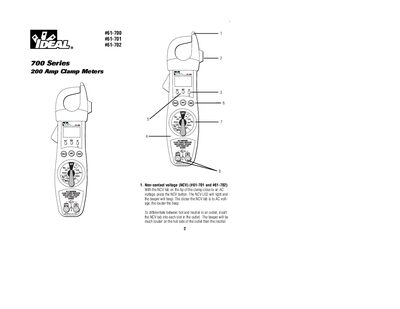
This document provides instructions for the IDEAL 700 Series 200 Amp Clamp Meters, specifically models #61-700, #61-701, and #61-702. It details how to use features such as non-contact voltage detection, AC/DC current measurement, and various resistance and capacitance tests.
| Max AC Current | 200A |
|---|---|
| Voltage Rating #61-700/#61-701 | 600 Volts |
| Voltage Rating #61-702 | 750VAC or 1000VDC |
| Display Type | 3-1/2 digit LDC display |
| Battery Type | NEDA 1604 (9V) |
Insert the NCV tab into each slot; the beeper will be much louder on the hot side.
A red Hi-V LED blinks, a beeper sounds, and the meter shakes.
Press the hold button again or press the reset button.