
This document is about the user manual of Agilent Technologies 5063-6575 valve.
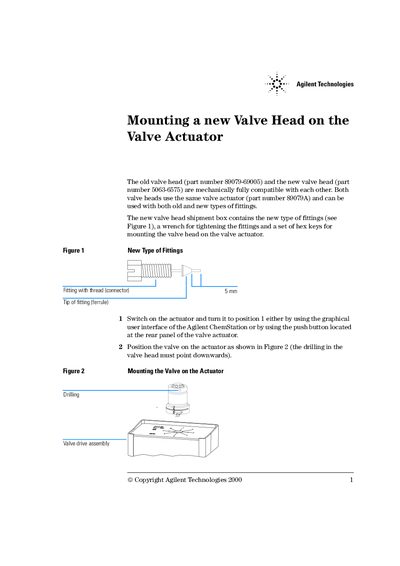
This guide provides instructions for replacing the old valve head (part number 89079-69005) with a new one (part number 5063-6575) on an Agilent Valve Actuator. Both heads are mechanically compatible and use the same actuator (part number 89079A). The shipment box includes the new fittings, a wrench for tightening, and hex keys for mounting.
To mount the valve, first switch the actuator to position 1 using the graphical user interface or the rear panel push button. Position the valve so the drilling points downwards as shown in Figure 2. Fix the valve by tightening the two fixing screws as depicted in Figure 3.
The new valve head has part number 5063-6575.
The shipment box contains a wrench for tightening the fittings.