
This manual provides detailed instructions on how to use MultiSpec, including selecting tasks, setting wavelengths and data types, and measuring samples. It also provides detailed instructions on how to save measurement results and methods.
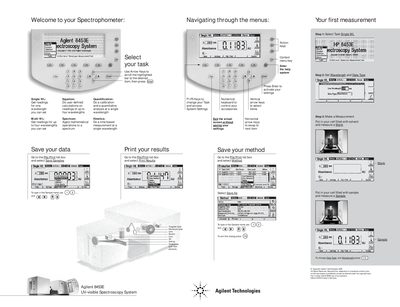
This document consists of setup posters for the Agilent 8453E UV-visible Spectroscopy System. The guides illustrate how to navigate the instrument's menu structure using arrow keys and function keys (F1-F5) to select various operational modes.
The content covers specific measurement tasks including Single Wavelength, Multi Wavelength, Equation calculations, Spectrum analysis, Quantification, Kinetics, Blank, and Sample measurements. It also details steps for saving methods and samples via the File/Print list box.
| Wavelength Range | 190-1100 nm |
|---|---|
| Stepwidth | 7,00 nm |
| Integration Time | 0.50 sec |
| Detector Array Elements | 1024 elements |
The system supports Single WL, Multi WL, Equation, Spectrum, Quantification, Kinetics, Blank, and Sample measurements.
Go to the File/Print list box and select Save Samples.