
This document provides instructions and precautions for installing the detector filter assembly (G1600-62700) from Agilent Technologies in 2000. The filter is designed to transmit light within a defined wavelength range, with maximum transmission between 256-266 nm. The installation process requires specific tools and screwdrivers, and caution should be taken to avoid touching the filter surface or other optical parts.
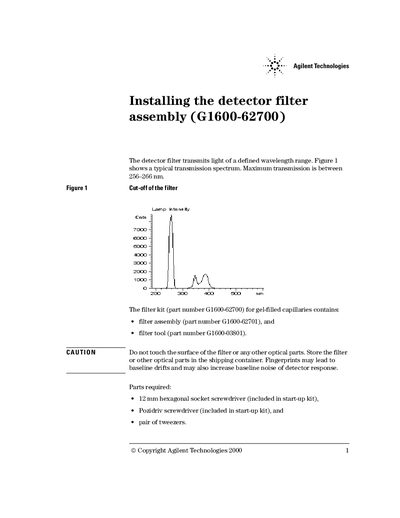
This document details the installation procedure for the Agilent detector filter assembly, part number G1600-62700. The kit includes a filter assembly and a tool designed specifically for use with gel-filled capillaries. Before beginning, users must ensure the instrument is powered off and software is exited to prevent damage or injury from hot components.
The filter assembly has the part number G1600-62701.
You need a 12mm hexagonal socket screwdriver, a Pozidriv screwdriver, and a pair of tweezers.
For operation, set the wavelength in a range from 256 nm to 266 nm.