
This document provides information on the installation and conditioning of PLOT columns, as well as maintenance and care methods. It also highlights the potential contaminants and particle issues to be aware of when using PLOT columns, and offers corresponding solutions.
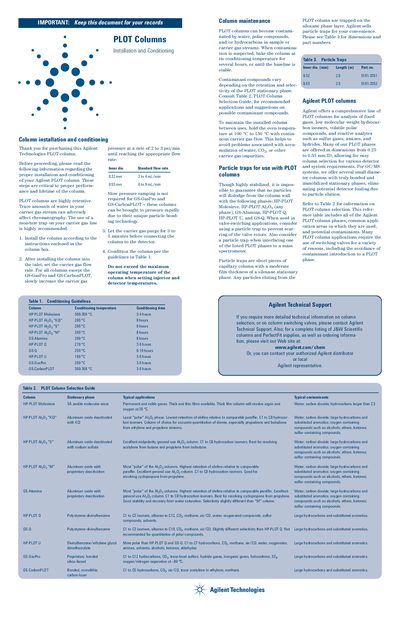
This document provides critical instructions for the installation and conditioning of Agilent Technologies PLOT columns to ensure proper performance and lifetime. It details procedures such as slow pressure ramping for carrier gases (except GS-GasPro and GS-CarbonPLOT) and specifies maximum operating temperatures for various column phases like HP-PLOT Molesieve, Alumina, and CarbonPLOT.
The guide also covers maintenance practices to prevent contamination from water or hydrocarbons, including baking procedures. It lists recommended particle traps for specific phases that may dislodge particles during valve-switching applications and provides a selection table matching column stationary phases to typical applications and contaminants.
| Moisture Trap Recommendation | highly recommended |
|---|---|
| Purge Time Before Detector Connection | 3 to 5 minutes |
| HP-PLOT Molesieve Max Temp | 300-350 °C |
| GS-GasPro Conditioning Time | rapidly |
| Maintenance Oven Temperature Range | 100 °C to 150 °C |
No, these columns can be brought to pressure rapidly due to their unique particle bonding technology.
The carrier gas should purge for 3 to 5 minutes before connecting the column to the detector.
Hold the oven temperature at 100 °C to 150 °C with continuous carrier gas flow.